
Best 10 PPSSPP & PSP Games To Free Download 2026
About this game
The PlayStation Portable (PSP) remains one of the most legendary handheld gaming consoles of all time. Thanks to the PPSSPP emulator, mobile gamers can easily play classic PSP titles directly on their Android devices in full High Definition.
Whether you are looking for high-octane action, immersive open-world adventures, or realistic fighting games, This blog details the top titles and shows you how to set up the Best PPSSPP Games Download Android PSP files step-by-step.
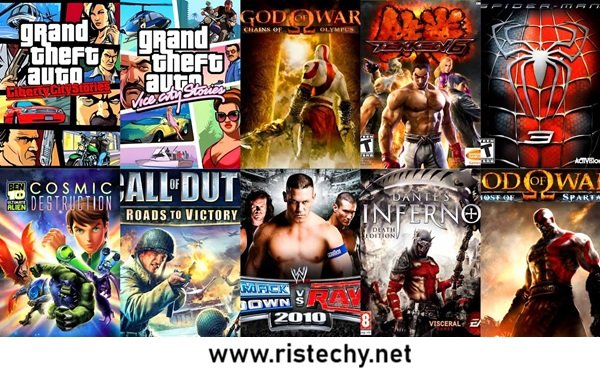
Top Recommended PSP Games for Android (PPSSPP)
Here is a quick overview of the top-rated PSP ISO games tested for maximum performance on Android phones.
| Game Title | Genre | File Size | Recommended RAM |
| God of War: Ghost of Sparta | Action / Hack & Slash | ~1.1 GB | 3 GB+ |
| GTA: Vice City Stories | Open-World / Action | ~860 MB | 2 GB+ |
| Tekken 6 | Fighting | ~730 MB | 2 GB+ |
| Dragon Ball Z: Tenkaichi Tag Team | Anime / Fighting | ~800 MB | 2 GB+ |
| Need for Speed: Most Wanted 5-1-0 | Racing | ~170 MB | 1.5 GB+ |
Detailed Review of Top Games
1. God of War: Ghost of Sparta
- Overview: Experience Kratos’ brutal journey on mobile with smooth frame rates, stunning cinematic graphics, and intense combat mechanics.
- Why Play: Offers console-quality visuals and runs exceptionally well on the PPSSPP emulator with minimal tweaking.
2. Grand Theft Auto: Vice City Stories
- Overview: Explore Vice City with customizable vehicles, empire-building mechanics, and an engaging storyline set before the events of the main console game.
- Why Play: Delivers a complete open-world sandbox experience with custom controls designed for touchscreens.
3. Tekken 6
- Overview: The iconic 3D fighting game featuring a massive roster of characters, smooth combo mechanics, and responsive input response.
- Why Play: Highly optimized for low-end and mid-range Android devices with zero audio lag or stuttering.
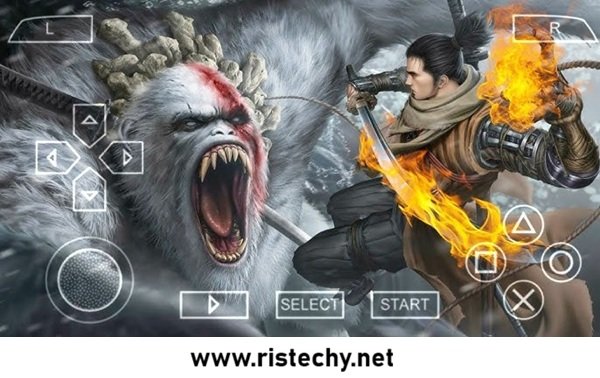
How to Setup and Play PSP Games on Android
Follow this straightforward setup guide to extract ISO/CSO files and run them on your phone.
- Install PPSSPP Emulator: Download and install PPSSPP (or PPSSPP Gold) directly from the Google Play Store.
- Download ISO/CSO Game File: Get your preferred compressed game file (
.isoor.csoformat). - Extract Archive: Use a file manager like ZArchiver to extract zipped files (
.zip,.7z,.rar). - Organize Game Directory: Move the extracted
.isofile intoInternal Storage / PSP / GAME /. - Launch & Load Game: Open the PPSSPP app, browse to your
PSP/GAMEfolder, select the game icon, and enjoy!
Best PPSSPP Settings for 60 FPS (Lag-Free Gameplay)
If you experience frame drops or choppy audio, adjust these core settings in your PPSSPP app:
- Backend: Set graphics backend to Vulkan (or OpenGL if Vulkan crashes).
- Mode: Choose Buffered rendering to prevent visual glitches.
- Frameskipping: Set to Off or 1 for smoother playback on lower-end devices.
- Rendering Resolution: Set to 2x PSP (for 1080p screens) or 1x PSP for budget smartphones.
- Display Resolution: Match Native Device Resolution.
Top 10 List Member Of PPSSPP Games
- Free Download: God Of War Chains Of Olympus Iso
- Free Download: God of War: Ghost Of Sparta Iso
- Free Download: Assassin Creed – Blood Lines
- Free Download: WWE Smack Down VS Raw 2006
- Free Download: X-Men Origin Wolverine Iso
- Free Download: Beowulf – the game
- Free Download: Need For Speed – Shift
- Free Download: Need For Speed Most Wanted
- Free Download: Ghost Rider
- Free Download: WWE Smackdown vs raw 2k14



3 comments
[…] You May Also Like to Donwload More Game: Best 10 PPSSPP & PSP Games To Free Download 2026 […]
[…] The best part is that you can play full matches without any internet connection. You may also like to download more Games like: Best 10 PPSSPP & PSP Games To Free Download 2026 […]
[…] You may also like to download more APK Games: Best 10 PPSSPP & PSP Games To Free Download 2026 […]